
Quick summary: 15 ready-to-use Gemini (Nano Banana) prompts built for Instagram Reels. For each prompt, you’ll get: the prompt text, a 3-second scroll-stopping hook, a caption example, a 3-beat storytelling format (hook/reveal / CTA), and tweak tips. Use these to create short-form videos that retain viewers and get shares.
Why Gemini (Nano Banana)? Google’s Nano Banana update made on-device image editing and stylized outputs far easier and faster, which creators are already using to create striking visuals and formats that perform on Reels. If you pair those visuals with tight hooks and clear CTA, you get the best chance to go viral.
How to use this post
- Copy the prompt into Gemini Nano Banana (or Gemini app).
- Generate the image or visual. Export vertical or 9:16 assets for Reels.
- Film short video clips that match the generated visual (or use the image as overlay/background).
- Use the 3-second hook as the first voice line or on-screen text. Keep the rest under 30–45 seconds.
- Use the suggested caption and CTA. Track retention and iterate. Best practices for hooks and structure are referenced below.
Hook & structure refresh (3 quick rules)
- Hook: First 3 seconds — provoke curiosity (question, shocking stat, “you won’t believe…”) or promise value. Short and direct wins.
- Retention: Use a 3-beat script: Hook → Value/Reveal → CTA (Save / Follow / Try). Keep edits fast, cuts on beats.
- Format: Reels that reveal transformation, show a step, or reveal a surprising fact tend to get extra replays (which signals the algorithm).
The 15 Prompts (copy-ready)
Note: Replace the placeholders like
[SUBJECT],[STYLE],[COLOR]with your specifics (your face, brand color, product, etc.). For image-generation prompts, include “vertical 9:16” or “portrait 9:16” to get correctly framed assets.
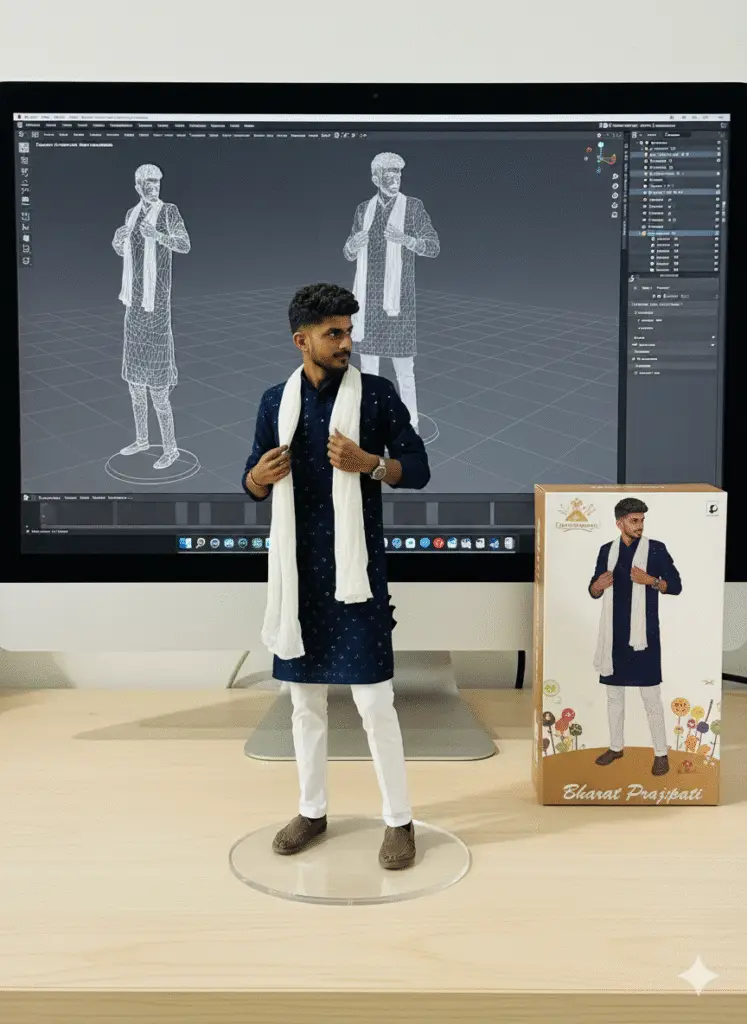
1) Tiny-Figure Desktop Diorama, Creator Persona
Upload Gambar lalu masukkan Prompt berikut:
Create a 1/7 scale figure featuring only the main character in the original image, with a realistic style and environment. Place the figure on a computer desk using a clear, round acrylic base with no text. On the iMAC LED computer screen, display the Blender modeling process for this main character figure, removing all other characters from the screen.
Next to the computer screen, place a Bharat Prajapati-style toy packaging box with only the main character printed on it. The figure measures 9:16.
Prompt Result :
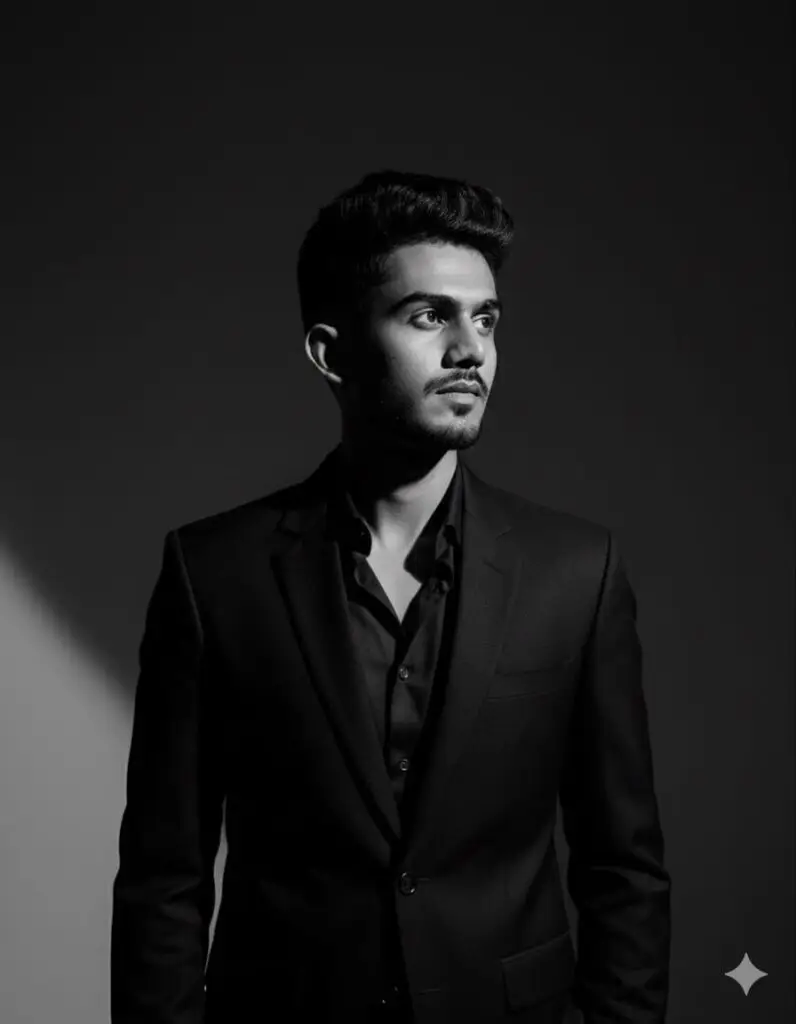
2) Cinematic Noir Studio Portrait
Make A high-quality, B&W portrait of this boy wearing a sharp black suit and black shirt. He's stands confidently in a minimal studio setting, facing slightly to the side. Dramatic studio lighting casts bold geometric shadows across her face and background, with a strong diagonal beam of light cutting through darkness. He's expression is calm, introspective, and slightly distant. The image has a high-fashion, cinematic noir tone, with high contrast and fine detail on the face (9:16)
Prompt Result :
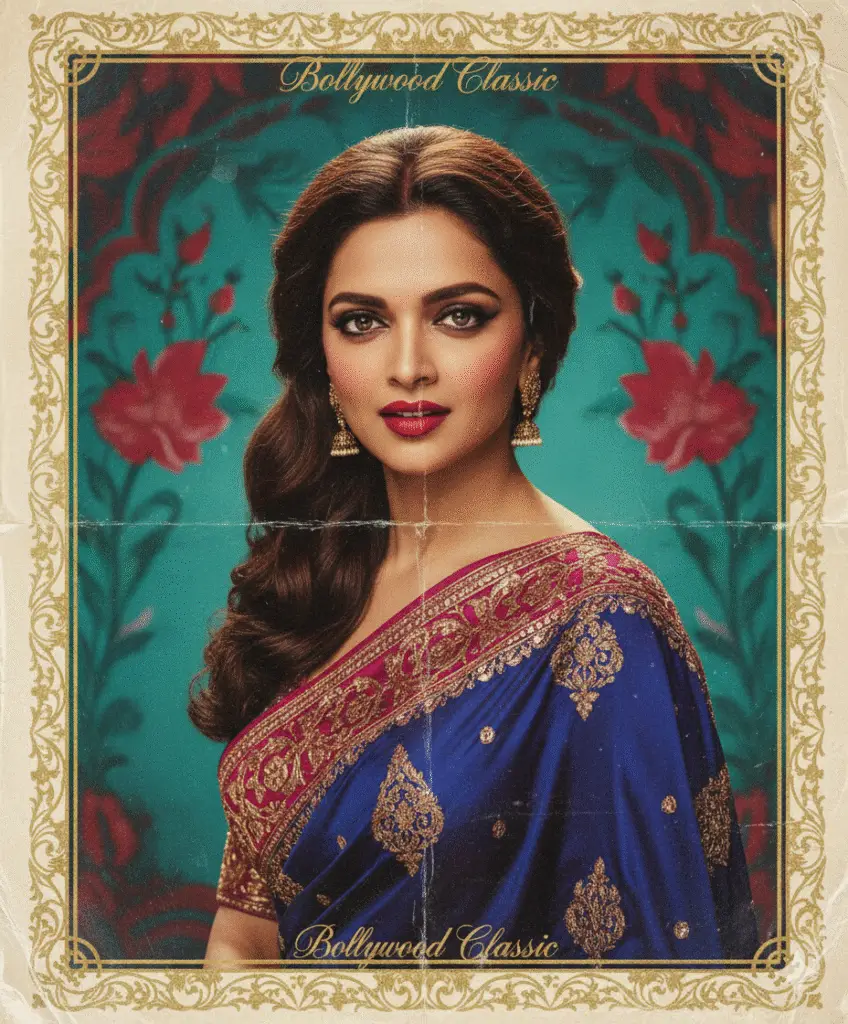
3) Retro Bollywood Portrait,Local Cultural Trend
Generate a retro-Bollywood poster portrait of [SUBJECT]. Outfit: 1970s Bollywood saree with gold embroidery or velvet suit with wide collars. Hair: voluminous retro curls. Makeup: vintage kajal eyes + bold red lipstick. Lighting: dramatic 3-point film lighting, warm tones. Background: painted Bollywood backdrop in saturated teal & red, ornate gold border, subtle poster text overlay. Texture: aged paper folds + light film grain. Composition: vertical 9:16 close-up, gaze slightly sideways.
Prompt Result :
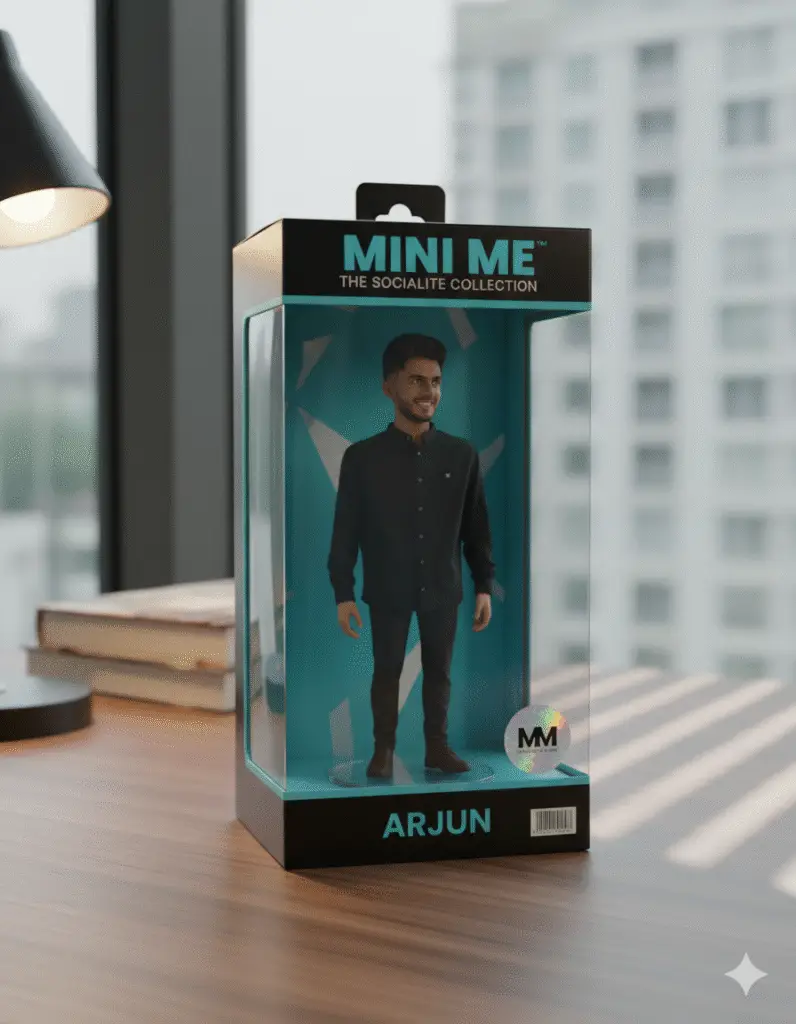
4) Toy Packaging Product Reveal, Collectible Style
Design a mini toy packaging box for [SUBJECT]. Packaging: transparent plastic window showing figure inside, glossy finish, bold typography in brand colors, barcode & hologram sticker. Environment: wooden table near window blinds, daylight creating diagonal shadows. Camera: 35° top-down angle, slightly tilted for dynamic look. Lighting: softbox overhead + rim light for glossy reflections. Add subtle depth of field + realistic shadows. Format: vertical 9:16 mockup.
Prompt Result :
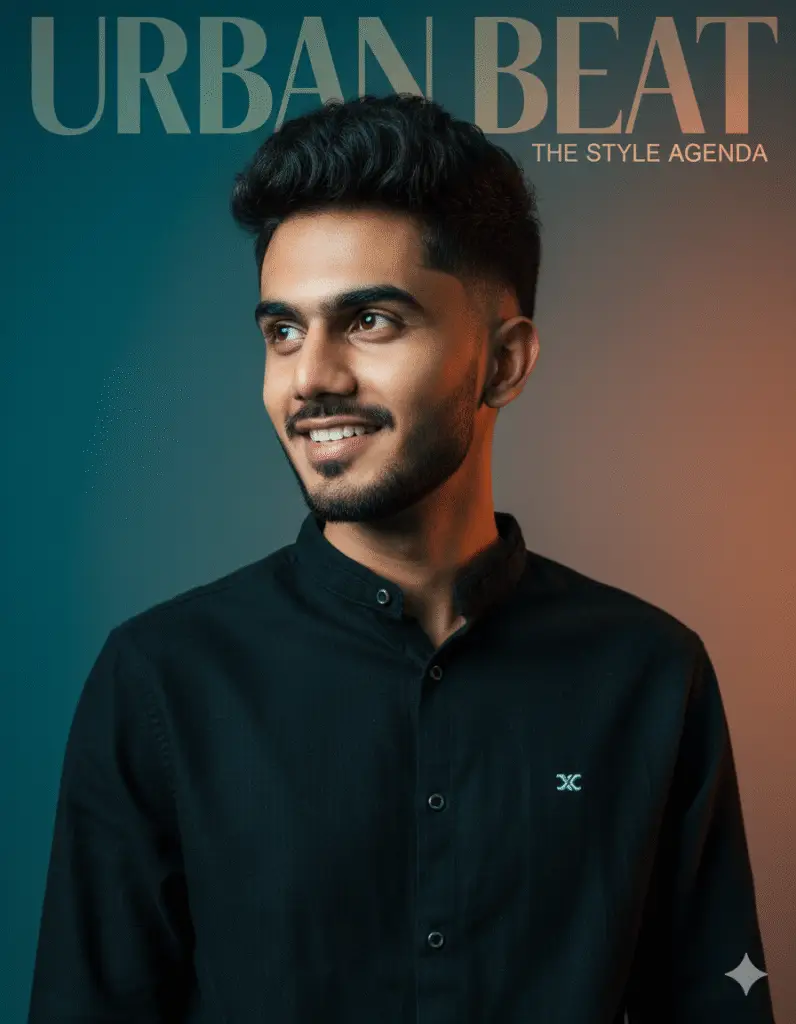
5) Transformative Before→After Glow-Up — Personal Brand
Transform a raw smartphone selfie of [SUBJECT] into a magazine cover portrait. Adjustments: flawless but natural skin retouch, cinematic contrast, high-fashion editorial color grading (teal-orange). Background: gradient studio backdrop, blurred masthead overlay reading “[MAGAZINE NAME]”. Lighting: Rembrandt key light + subtle rim glow. Composition: vertical 9:16 close-up, shoulders visible, subject looking confidently sideways. Output: print-like clarity with fine hair/eye details.
Prompt Result :
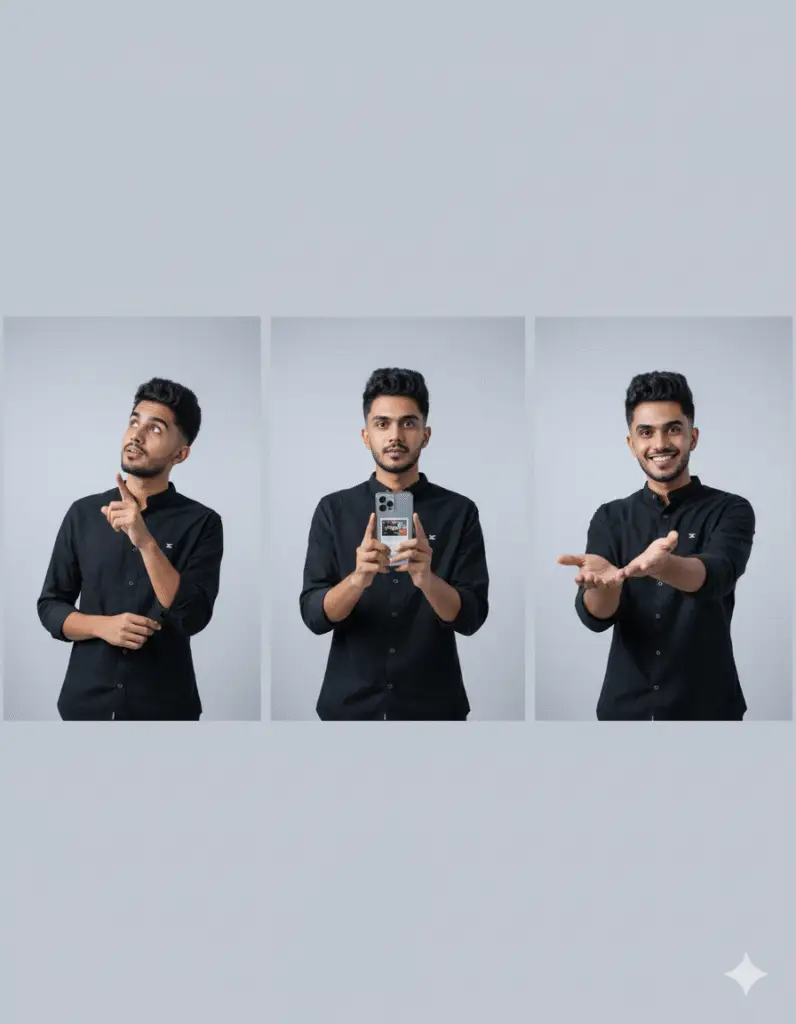
6) Step-by-Step Tutorial Frames — Reel Carousel
Generate 3 sequential frames of [SUBJECT] explaining a tutorial. Scene: minimalist bright studio background, consistent across all frames. Step 1: [SUBJECT] pointing upwards with curious look. Step 2: holding product/phone at chest level. Step 3: smiling, hand extended presenting result. Camera: waist-up medium shot, 35mm lens. Lighting: flat softbox, even illumination. Leave blank negative space above for captions. Output: 3 separate vertical 9:16 images with consistent tones.
Prompt Result :
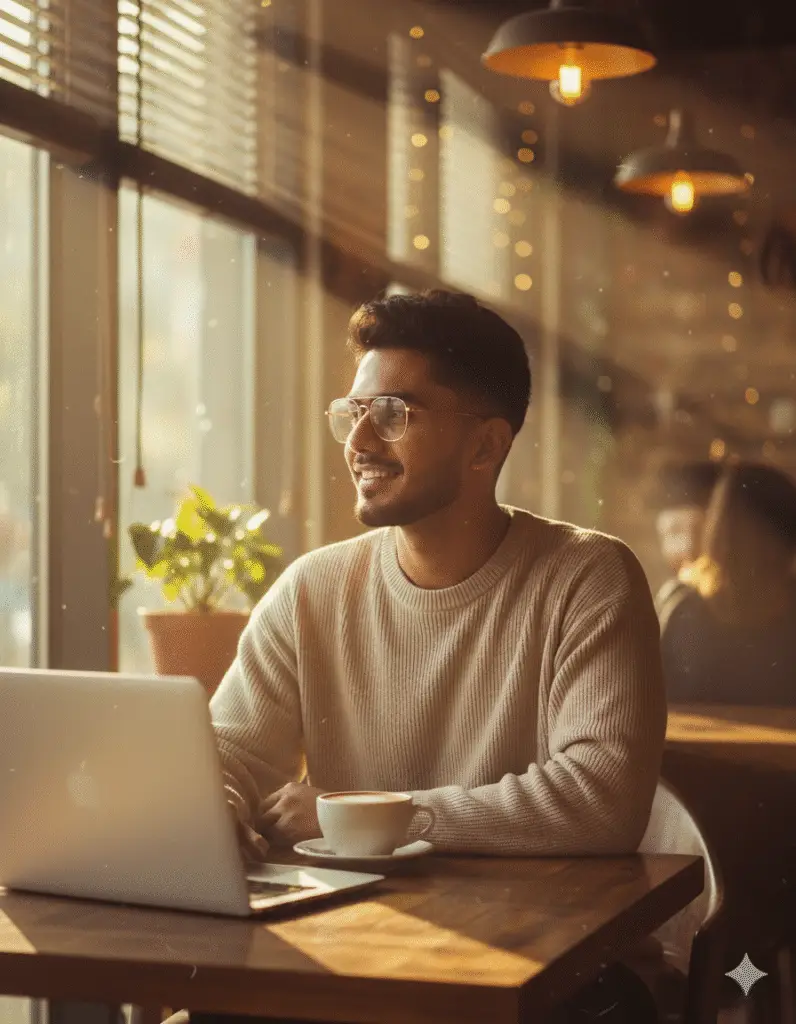
7) Aesthetic Cafe Mood Shot — Lifestyle Reel
Portrait of [SUBJECT] in a trendy aesthetic café, warm tones, latte & laptop on wooden table. Outfit: oversized neutral sweater, accessories: gold-rimmed glasses. Lighting: golden hour sunlight streaming through window, dust particles glowing. Camera: 50mm lens, f/2.0, shallow DOF with cozy blurred background. Post-processing: warm vintage filter, cinematic grain. Format: vertical 9:16 close-up with café vibes.
Prompt Result :
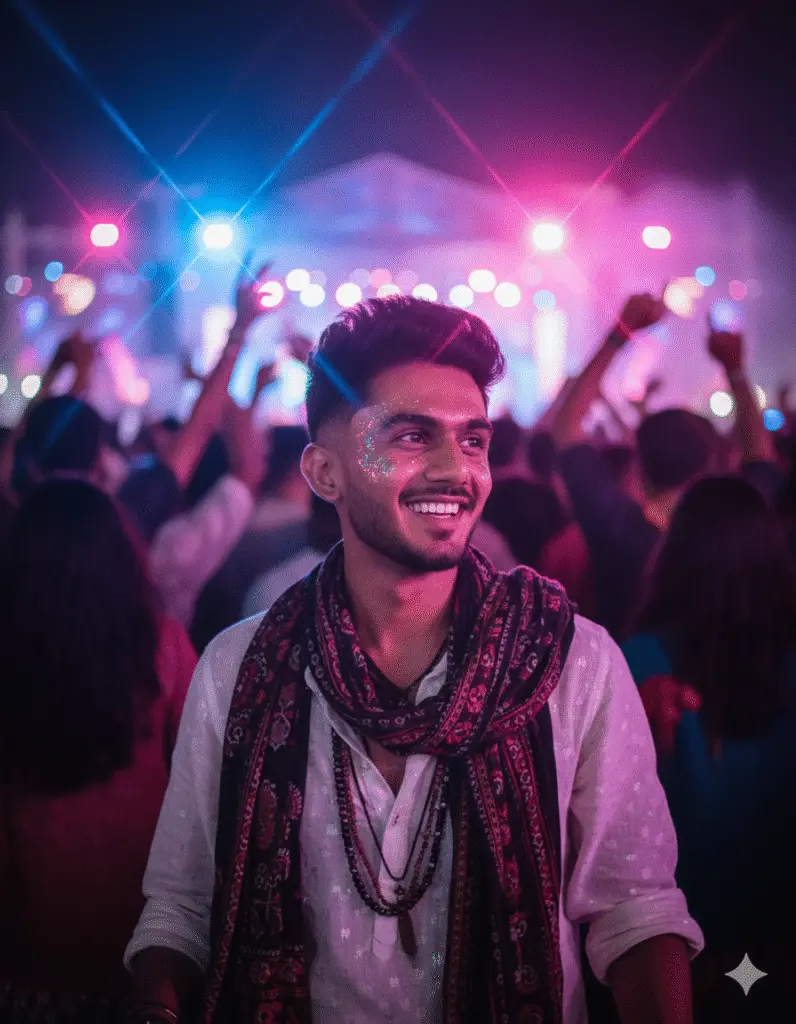
8) Festival Glow Portrait — Event Content
Generate [SUBJECT] at a festival crowd scene. Outfit: boho chic (beaded jewelry, layered scarves, ethnic patterns). Lighting: neon festival lights in pink, blue, purple. Background: dancing crowd silhouettes + stage lights in distance. Camera: portrait lens 85mm, f/1.8, bokeh with starburst light flares. Composition: 9:16 chest-up close-up, glowing face paint or glitter details.
Prompt Result :
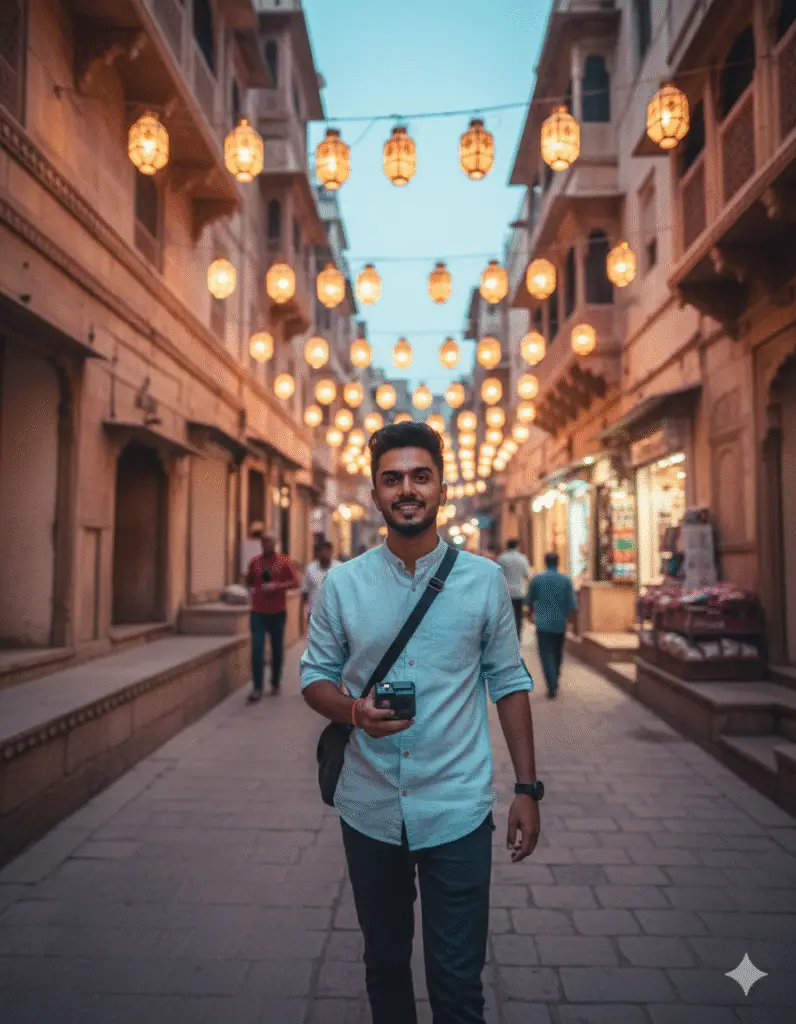
9) Travel Reel POV — Immersive Vlog Style
POV reel frame of [SUBJECT] walking in narrow street of Udaipur with lanterns above. Outfit: casual travel fit (linen shirt, sling bag). Lighting: soft dusk glow with street lamps. Camera: GoPro-style wide lens, slightly tilted for motion effect. Post: motion blur, cinematic LUT filter. Composition: vertical 9:16 travel vlog frame.
Prompt Result :
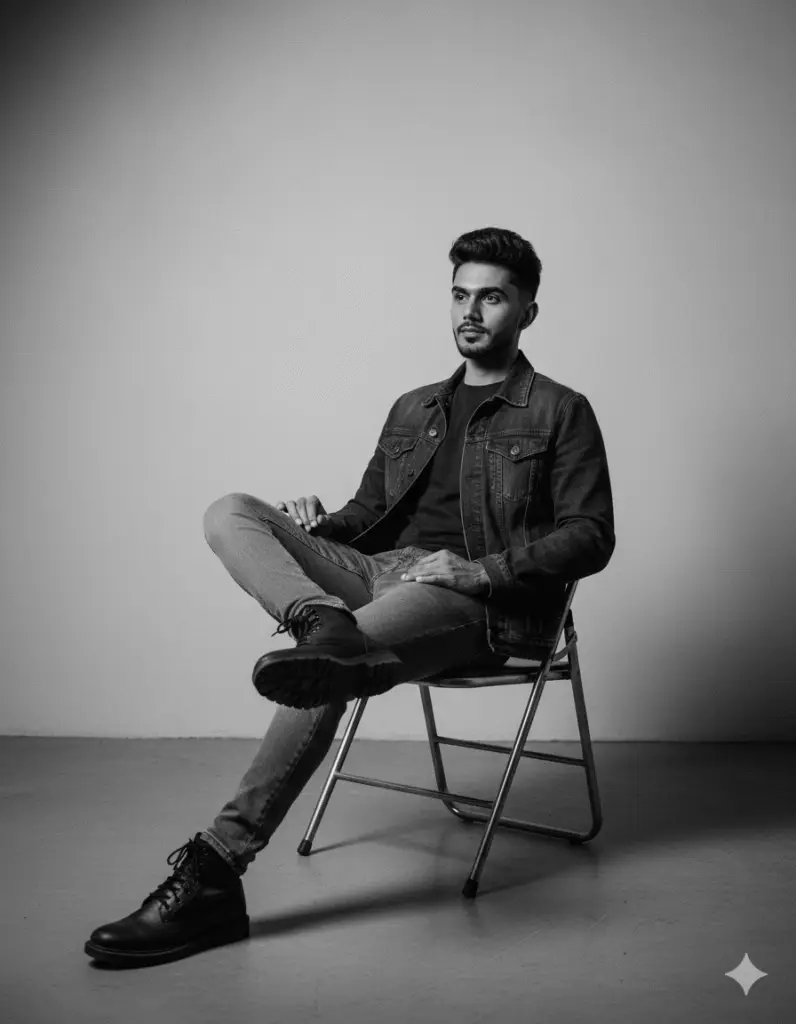
10) Moody B&W Studio Portrait
A moody black and white of a young man sitting casually on a metal folding chair in a minimalist studio. He wears a denim jacket over a dark t-shirt, slim jeans, and black boots. His pose is relaxed With one leg crossed over the Other, leaning slightly back with a calm and confident expression. The lighting is soft, creating subtle shadows on the plain wall and floor, adding depth and atmosphere to the photograph. The overall vibe is modern, stylish, and introspective.
Prompt Result :
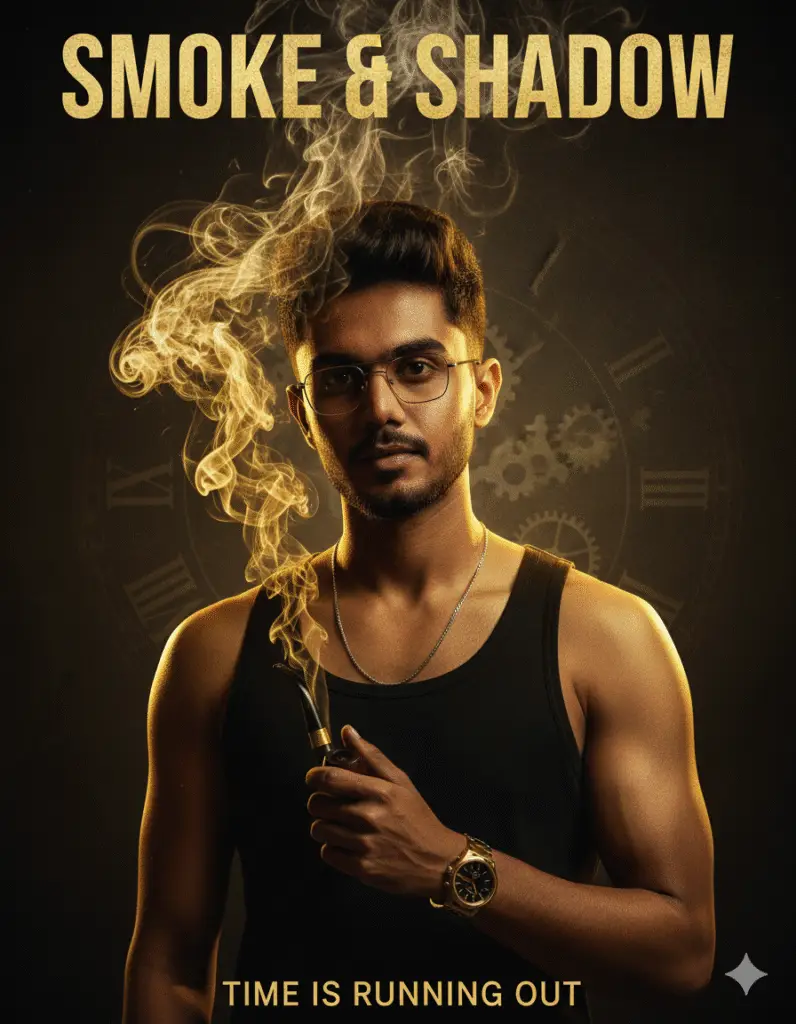
11) Cinematic Smoke Poster Portrait
A hyper - realistic cinamatic poster of a young South Asian man, lean and sharp- featured, with short textured hair and faint mustache. He is wearing a sleeveless black tank top, a thin chain necklace, and a golden wristwatch. He is holding a curved black pipe with thick smoke swirling upward in dramatic patterns. He wears stylish glasses, exuding confidence and intensity. The lighting is moody, with golden highlights and dark shadows, giving a gritty yet powerful vibe. A faint clock pattern is visible in the smoky background, adding depth. The design is in the style of a blockbuster movie poster, ultra-detailed, dramatic, and high-resolution.
Prompt Result :
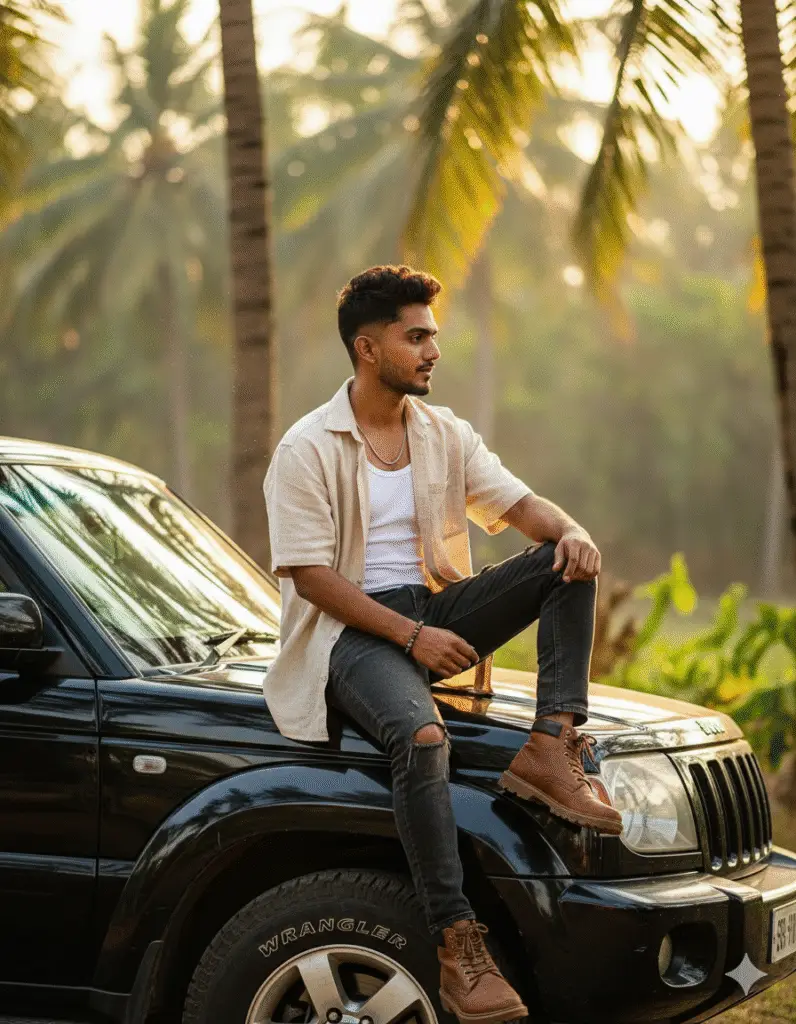
12) Tropical SUV Rooftop Portrait
Create a hyper-realistic cinematic portrait of a fashionable young man (use the uploaded face for accurate likeness, ensure the face matches exactly and looks natural). The man is sitting casually on the roof of a black SUV (with visible Wrangler tires) in a sunny, tropical outdoor setting with palm trees and bright light in the background. He is wearing a loose beige short-sleeved shirt over a white tank top, paired with
Prompt Result :
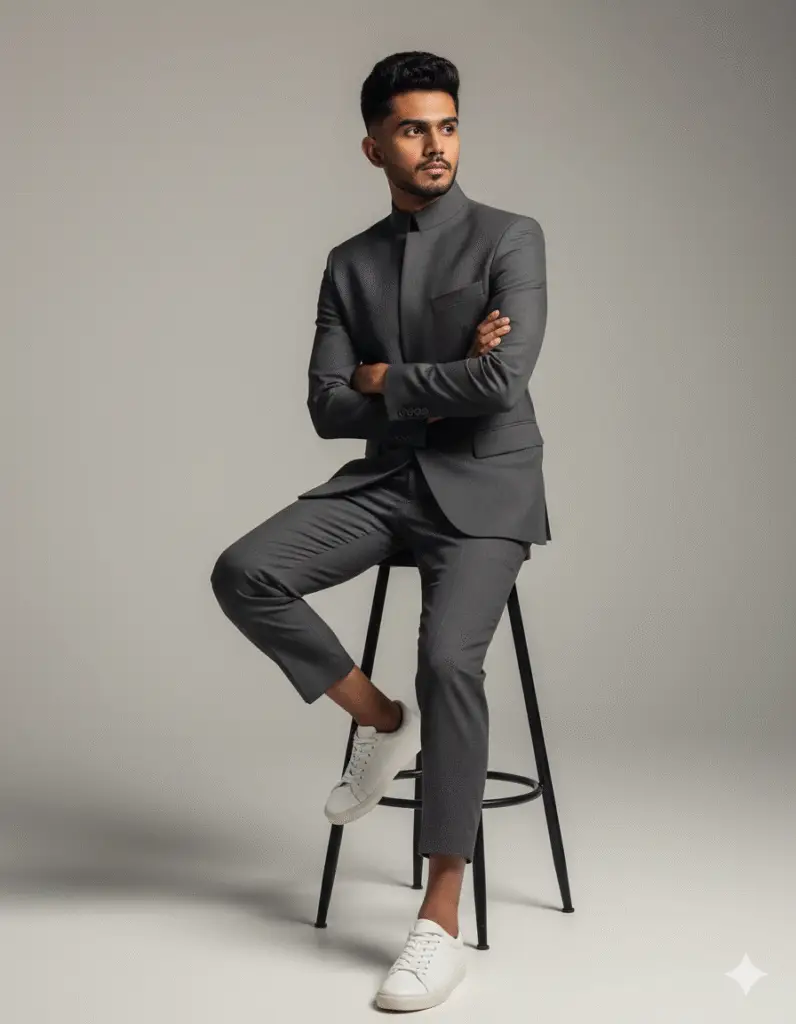
13) Modern Editorial Suit Portrait
A hyper-realistic portrait of a uploaded man face 100 percent reserved sitting on a tall black stool in a minimalist studio. He wears a modern charcoal-gray tailored suit with cropped trousers and a structured blazer with a high collar, paired with white sneakers. He sits with arms crossed, leaning slightly forward, looking off-camera with a serious, confident expression. Neutral-toned background enhances focus on the subject. Ultra-detailed fabric textures, realistic lighting, fashion editorial quality."
Prompt Result :
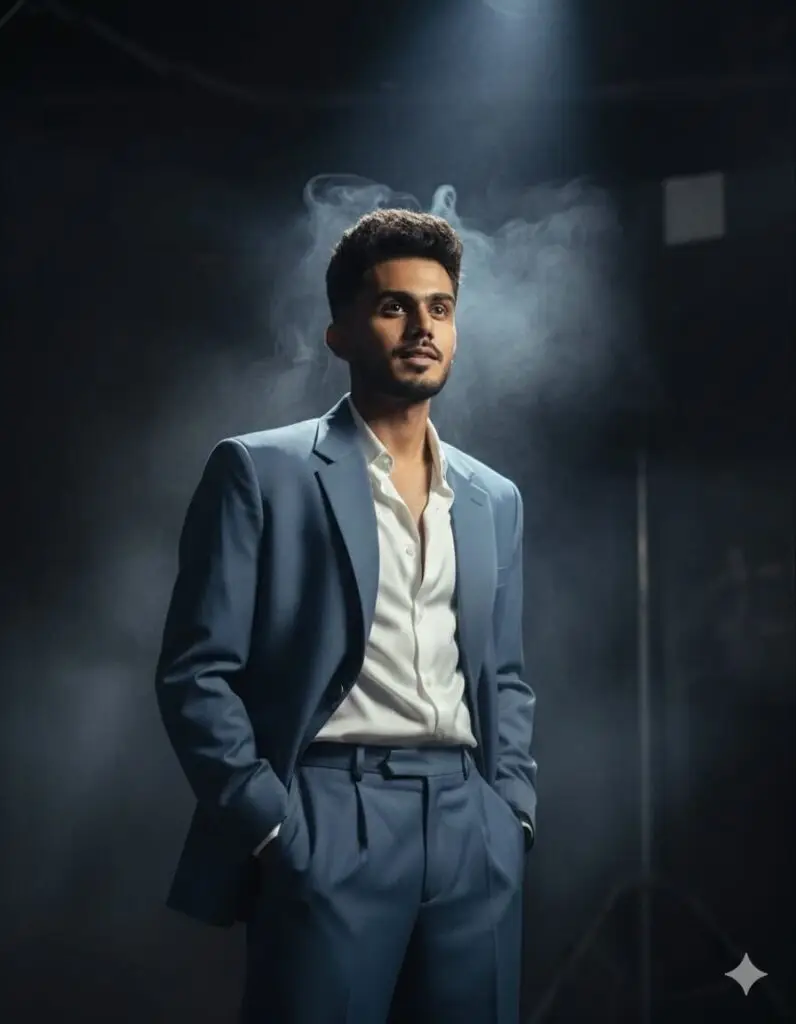
14) Moody Editorial Suit Portrait
Hands in Pockets – Relaxed Authority
A hyper-realistic cinematic editorial portrait of the uploaded person (preserve face 100%). He stands tall in a dark moody studio,surrounded by soft drifting smoke under a dramatic spotlight.

Outfit:
Oversized slate-blue luxury suit with wide-leg trousers, paired with a slightly unbuttoned white silk shirt. Both hands tucked casually in pockets, shoulders relaxed, confident expression, head tilted slightly upward.
Prompt Result :
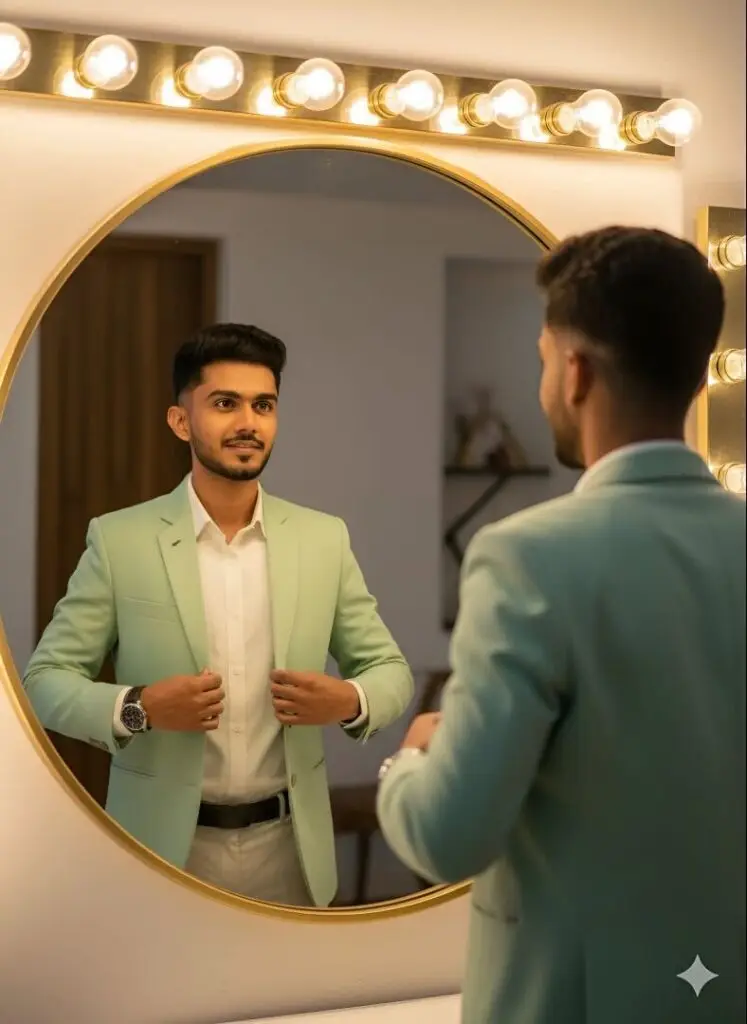
15) Mirror Glow Portrait
Generate a hyper-realistic cinematic photo of the uploaded person (preserve the face 100% exactly as in the uploaded selfie same skin tone, hairstyle, beard, and expression, with no alterations). He is standing in front of a round mirror, wearing a pastel green blazer over a crisp white shirt. The reflection in the mirror should perfectly align with his pose as he adjusts his blazer with both hands. Lighting should come from warm glowing bulbs above the mirror, casting soft cinematic shadows.
Prompt Result :
Example reel script (template you can reuse)
- 0:00–0:03 Hook text + voice: use one of the hooks above.
- 0:03–0:12 Show the Gemini generation process or the generated image with a quick pan.
- 0:12–0:25 Show use/transform (before→after, product in use, mockup).
- 0:25–0:30 CTA: “Save this prompt / Try it / Follow for weekly prompts.”
This simple structure follows proven short-form frameworks and helps improve retention.
Production checklist (so these actually perform)
- Vertical 9:16 assets: Always export Gemini outputs in 9:16 (or crop smartly) for Reels.
- First 3 seconds = promise: Use the hook as text + voice. No fluff.
- Add captions/subtitles: Auto-captions increase views and accessibility.
- Use trending audio: Pair visuals with trending sounds, trending audio = reach.
- Fast cuts: 1–3 second clips, keep pace after the hook.
- Pin CTA: Ask for saves or shares; “save this prompt” is a strong CTA.
- Test & iterate: Post A/B variations of hooks for 2–3 days; keep what sticks.
SEO & distribution tips (get found)
- Publish each prompt post with a clear H1 and include the full prompt in a
<pre>block (so Google understands it). - Include example outputs (images) with descriptive alt text like “Gemini Nano Banana portrait of [subject]”. This helps image search and discovery.
- Add short explainer paragraphs that teach how/why the prompt works — Google values original context.
- Share each pack to niche communities (r/MidJourney, r/PromptEngineering, creator Discords) and add linkbacks.
A/B testing plan (quick)
- Test hooks first — make 3 variations of the first 3 seconds. Track retention.
- Test captions with / without emojis, and CTAs “Save” vs “Share”.
- Test thumbnails (first frame) — often determines CTR.
Safety & privacy note
When using real people’s photos, get consent. If the prompt or trend involves uploading other people’s photos, avoid sensitive content. Also beware of apps/scam sites impersonating Gemini — always use official Google channels and respect SynthID / watermarks when required.
Resources & reading (sources used)
- Google’s Nano Banana examples and announcement.
- Coverage on Gemini Nano Banana’s rapid adoption.
- Instagram Reels trend roundups (seasonal trending formats).
- Hook frameworks and viral short-form structures.
Final notes, quick checklist to publish this post
- Add 6–8 generated example images (use the prompts here).
- Include copy buttons for each prompt (improves UX & share rate).
- Add a small FAQ at the bottom: “How to edit prompts”, “Best aspect ratio”, “Where to post outputs”.
- Offer a “Download prompts” CTA (gated/free) to capture emails.
If you want, I’ll:
- Produce SEO-friendly headings & meta for this post.
- Generate the post’s HTML-ready content with
<pre>blocks and copy buttons to paste into WordPress. - Create sample social images and suggested captions for sharing.
Which of those would you like next?